
2–5 PERSON HVAC · EVIDENCE-LED GUIDE
Best HVAC Software for Small Business in 2026: What a 2–5 Person Crew Needs
A small HVAC company needs a clear path from customer call to booked visit and completed invoice. Buying software should reduce office work, not add another system to maintain.

Disclosure: Product links below are normal official links. Field Software Lab may use affiliate links when a program is approved and clearly disclosed. Relationships do not change scores or verdicts. Read our affiliate disclosure.
Quick Answer
For a small HVAC shop, trial Housecall Pro when the office needs a calendar-first dispatcher, Jobber when quotes, jobs, invoices and recurring visits must stay connected, and Kickserv when published team pricing matters. Our Kickserv test used Premium rather than Start, so verify the lower plan before buying. ServiceM8 is a budget candidate for predictable job volume; Workiz belongs on a demo shortlist for call-heavy teams.
Do not assume the software will stop double-booking. In our tested Jobber and Housecall Pro accounts, deliberately overlapping technician assignments were allowed. That makes your own trial workflow more important than a feature checklist.
Housecall Pro
Check current plans and included features directly with Housecall Pro.
View Housecall Pro plansAt a glance: which option fits a small HVAC crew?
| Product | Best fit | Evidence | Published team basis | Main watch-out |
|---|---|---|---|---|
| Housecall Pro | Calendar-first dispatch | Full hands-on | Essentials: 5 users | Overlap allowed in test; separate HVAC package |
| Jobber | Quote-to-invoice continuity | Full hands-on | Connect: 5 users | Overlap allowed in test |
| Kickserv | Published five-user entry tier | Premium trial | Start: 5 users | Start feature parity not tested |
| ServiceM8 | Low-volume teams | Limited / official research | Unlimited paid users | 50 new jobs on Starter |
| Workiz | Calls plus dispatch | Official-source research | Quote required | Five-user cost unverified |
How We Tested
We use a fictional three-role HVAC business: owner, office/customer service and technician. In Jobber and Housecall Pro we ran customer creation, estimates, jobs, scheduling, technician assignment, rescheduling, recurring work and invoicing. We deliberately overlapped technician appointments. Kickserv was tested through a Premium trial. ServiceM8 has limited exposure plus official-source research; Workiz remains official-source research.
Our frozen 3-Person HVAC Fit Scores are Kickserv 87.5/100, Housecall Pro 87.3/100 and Jobber 84.5/100. These describe fit for the three-person scenario, not universal software quality. They are not five-person scores, and price is excluded.
1. Housecall Pro — calendar-first dispatch
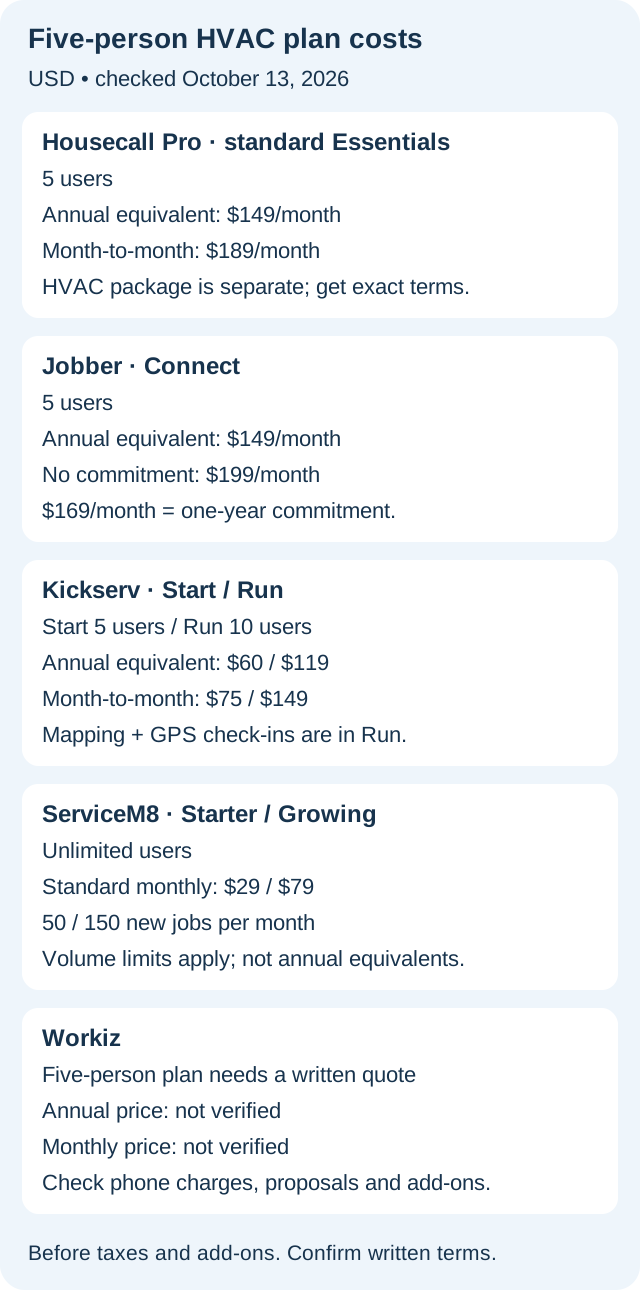
Best for: An office managing several daily visits. Evidence: Full hands-on. Housecall Pro currently lists standard Essentials for five users at $149/month when billed annually or $189 monthly. A separate HVAC/Mechanical package may carry different pricing and entitlements.
In our test, Schedule was easy to reach. The office could create a job from the calendar, assign multiple technicians after team setup, and use arrival windows instead of promising an exact arrival minute. The main caution is conflict handling: our deliberate overlap was allowed, so a dispatcher still needs to check availability.
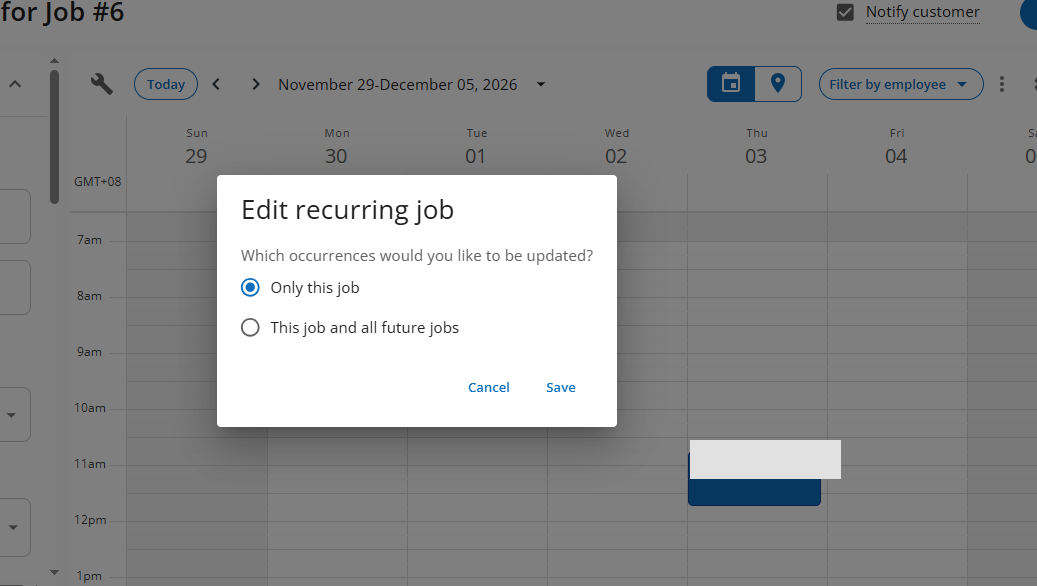
Fast calendar access, team assignment and arrival windows.
Do not assume conflicts are blocked; HVAC package pricing differs.
2. Jobber — quote-to-invoice continuity
Best for: Owners who want estimates, jobs, visits and invoices to stay connected. Evidence: Full hands-on. Jobber Connect supports five users. Its standard pricing is $149/month billed annually, $169/month with a one-year commitment paid monthly, or $199/month with no commitment, before temporary promotions.
Our hands-on test found a clear relationship among customers, estimates, jobs and invoices. Rescheduled visits retained technician assignment, and recurring work was manageable. As with Housecall Pro, the calendar did not hard-block our deliberate overlap.
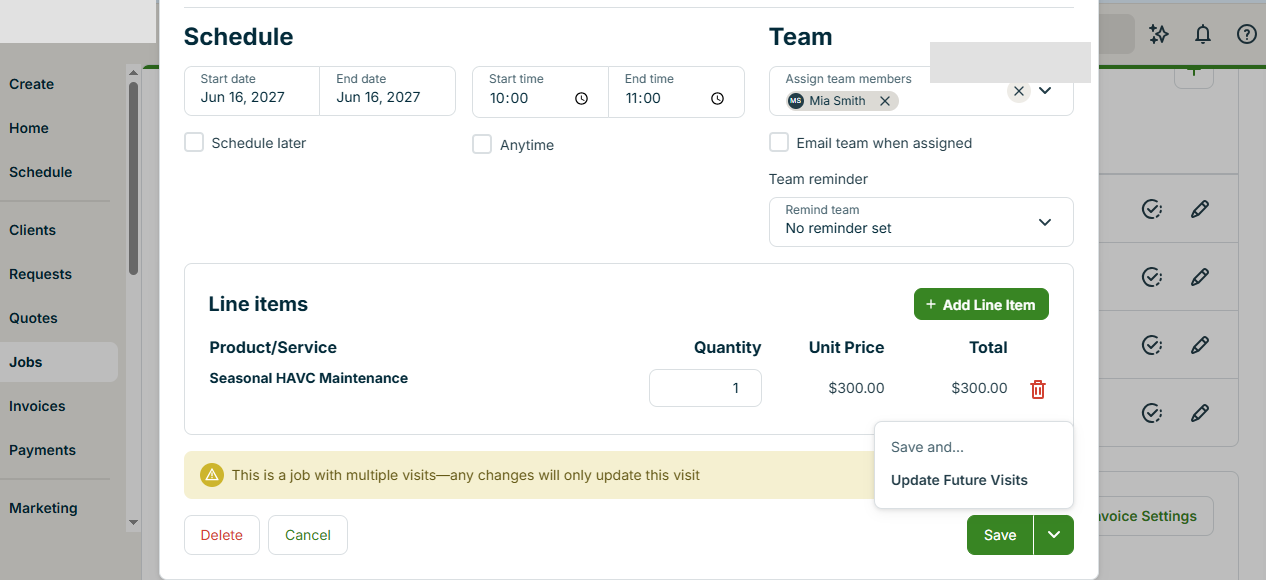
Strong workflow continuity from quote through invoicing.
Overlap was not hard-blocked; team-tier pricing matters.
3. Kickserv — low published team price, with a plan caveat
Best for: A budget-aware owner willing to verify exact plan features. Evidence: Limited hands-on on Premium, not Start. Kickserv currently displays Start for five users at $60/month while separately advertising 20% savings with an annual subscription. Because the public page's billing-state wording is not fully explicit in our current check, we do not label the $60 figure as a confirmed annual equivalent here.
The broader Premium trial felt relatively straightforward, including estimate-to-job handling, but that does not prove Start includes every workflow we tested. Verify the exact tier before switching.
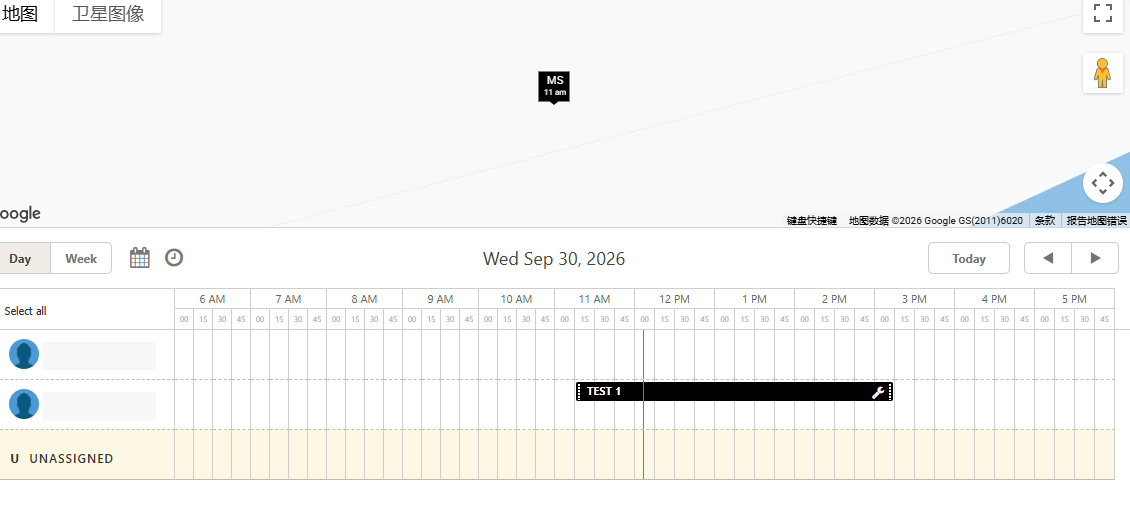
Published five-user entry tier and a 30-day trial.
Our hands-on evidence came from Premium, not Start.
4. ServiceM8 — low-volume option
Best for: A small shop with predictable monthly job volume. Evidence: Limited exposure and official-source research. ServiceM8 Starter lists $29/month, unlimited users and 50 new jobs per month. Growing lists $79/month and 150 new jobs.
This pricing model is different from per-user software: the constraint is job volume. According to ServiceM8, converting a quote to a work order does not consume another job credit. We still recommend checking technician devices, recurring visits and office updates in a real trial before committing.
Unlimited paid users with clear job-volume tiers.
The 50-job Starter allowance can become the real limit.
5. Workiz — phone-to-dispatch shortlist
Best for: Teams where missed calls and dispatch coordination are the main pain point. Evidence: Official-source research only. Workiz currently lists scheduling, invoices, jobs and estimates in Standard; Pro adds Genius Scheduling; Ultimate adds service plans and sales proposals.
Five-user pricing is not independently established because the vendor currently asks buyers to request pricing. Get a written quote covering users, phone charges, automations, onboarding and cancellation before comparing it with published team plans elsewhere.
Clear plan progression for scheduling and automation capabilities.
No matched hands-on benchmark and no verified five-user price.
Buying by team size
For two people, prioritize a simple office workflow and avoid buying a large-system feature stack you will not use. For three, test the owner, office and technician handoffs directly. For five, add simultaneous appointments, multiple technicians, office permissions and mobile updates to the test. Our published Fit Scores are based on three people, not five.
What the owner should test before paying
Create three dummy customer calls, schedule two technicians and move one appointment into an occupied slot. Watch whether the office can see the conflict. Then reschedule one recurring visit and confirm that later appointments are not unintentionally changed.
Repeat the same tasks from a technician's phone. Check customer details, job notes, assignment updates and the invoice process. A desktop demo is not enough if the field team cannot reliably use the workflow.
Monthly or annual billing?
Flexibility has value during evaluation. An annual equivalent is not the same as a cancel-anytime monthly plan. Once the software works for the team and the savings are meaningful, annual billing can make sense. Confirm contract terms and add-ons in writing.
Switching costs matter more than a small headline saving
Changing systems means moving customer records, job history, estimates and recurring maintenance schedules. The office and technicians must also learn new routines. Do not cancel a working system merely for a small advertised saving before testing data export and import.
FAQ
Which product should a small HVAC company try first?
Choose the trial that targets the team's biggest repeated problem: scheduling visibility, quoting and billing, or subscription cost. The right answer depends on the workflow, not the longest feature list.
Do these calendars automatically prevent double-booking?
Do not assume so. Our tested Jobber and Housecall Pro accounts allowed deliberately overlapping assignments. Test your actual account settings and current product behavior.
Are the published Fit Scores for five users?
No. They come from a three-person scenario. We compare published five-user plan prices separately and do not invent five-person scores.
Should I choose annual billing immediately?
Trial the workflow first, confirm the plan and cancellation terms, and then decide whether a longer commitment makes sense.
Related reading: Best HVAC Software, Best HVAC Scheduling Software, Jobber vs Housecall Pro, Best Jobber Alternatives, and How We Score HVAC Software.