
Best Jobber Alternatives in 2026: 6 Options for Service Businesses
Last updated: September 30, 2026
If you run a three-person HVAC company, the useful question is not which Jobber alternative has the longest feature list. It is which system makes the daily handoff from office → technician → invoice easier without creating a new problem somewhere else.
Quick answer
For a 3-person HVAC team, Housecall Pro and Kickserv are the two alternatives we would test first against Jobber.
Housecall Pro had the stronger calendar-first scheduling experience in our test. Kickserv combined a straightforward office/dispatch workflow with a simplified technician-only view, and its Start plan includes five users for $720/year ($60/month equivalent) when billed annually. Jobber remains a strong option if its quote-to-job structure, recurring work and existing setup already fit your business.
Do not switch because of a small feature difference. Switch only when the replacement solves a repeated workflow problem that justifies migration and retraining.
Jobber vs the alternatives at a glance
| Product | 3-Person HVAC Fit Score | 3-Person public price | Price Rating | Evidence | Main workflow difference |
|---|---|---|---|---|---|
| Kickserv | 87.5 / 100* | Start: $720/yr · $60/mo equivalent · 5 users | ★★★★☆ | A · Premium Trial | Straightforward dispatch + simplified technician-only workflow |
| Housecall Pro | 87.3 / 100* | Essentials: $149/mo annual equivalent · up to 5 users | ★☆☆☆☆ | A · Full hands-on | Calendar-first scheduling felt strongest in our test |
| Jobber | 84.5 / 100* | Connect: $149/mo annual equivalent · 5 users | ★☆☆☆☆ | A · Full hands-on | Structured quote/job workflow and strong recurring-job controls |
| ServiceM8 | Score pending full test | Starter: $29/mo · unlimited users · 50 jobs/mo | ★★★★★ | B · Partial hands-on | Lighter workflow; Apple-first positioning |
| Workiz | Score pending hands-on test | Custom quote | Not public | Limited access + research | Communications/dispatch positioning |
| FieldPulse | Score pending hands-on test | Custom quote | Not public | C · Vendor-verified | Deeper trade-management focus |
| ServiceTitan | Score pending hands-on test | Custom quote | Not public | C · Vendor-verified | Built for more operational complexity |
*Provisional calibration scores dated September 30, 2026. Public scores are shown to one decimal place. Price is separate from Fit Score.
Price Rating: ★★★★★ ServiceM8 ($29/mo); ★★★★☆ Kickserv ($60/mo annual equivalent); ★☆☆☆☆ Housecall Pro and Jobber (both $149/mo annual equivalent). Stars describe only relative published price in this comparison, not value or software quality.
Should you actually leave Jobber?
Probably not if Jobber already handles your daily workflow and the alternative does not solve a specific repeated problem.
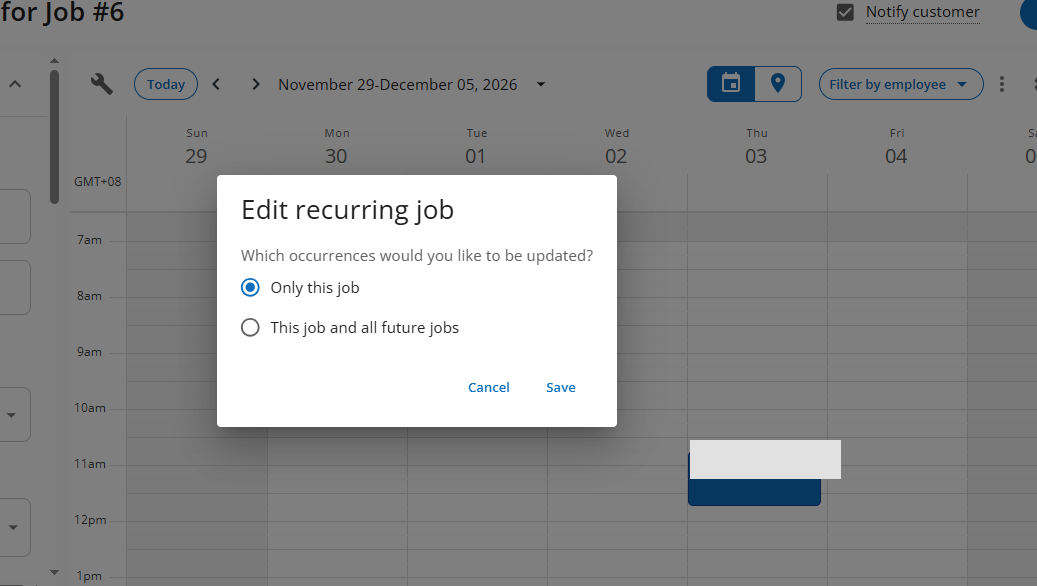
In our hands-on test, Jobber handled customer creation, quotes, jobs, recurring work, reminders and invoicing well. The main friction we recorded was around scheduling: changing a visit required entering the Visit rather than simply dragging it on the calendar, and overlapping visits did not produce the kind of clear conflict warning we expected.
For a three-person team, the practical comparison is Jobber Connect rather than the one-user Core headline price. Connect includes five users and currently lists at $149/month equivalent when billed annually; the no-commitment rate is $199/month. Temporary promotional pricing is excluded from our baseline.
Check current Jobber pricing →
1. Housecall Pro
- Fit Score
- 87.3 / 100
- Evidence
- A — Full Hands-On
- 3-person plan
- Essentials · up to 5 users · $149/month equivalent when billed annually · $189 month-to-month
- Main reason to test
- Calendar-first scheduling and dispatch.
- Main catch
- Estimate-to-job progression felt less direct in parts of our test.
Housecall Pro is the closest hands-on alternative here if scheduling is the reason you are looking beyond Jobber. Its Schedule felt more central to the workflow in our test. We could create jobs from the calendar, use arrival windows and schedule before assigning a technician.
The trade-off is not that HCP does everything better. Estimate-to-job progression felt less direct in parts of our test, while Jobber's quote/job structure was easy to follow.
Check current Housecall Pro pricing →
2. Kickserv
- Fit Score
- 87.5 / 100
- Evidence
- A — Full Hands-On
- Tested Plan
- Premium Trial · $363/month · unlimited users
- 3-person plan
- Start · 5 users · $720/year ($60/month equivalent) · $75 month-to-month
- Plan gate
- Run adds Dispatch Mapping and GPS check-ins.
Kickserv changed the shortlist after hands-on testing.
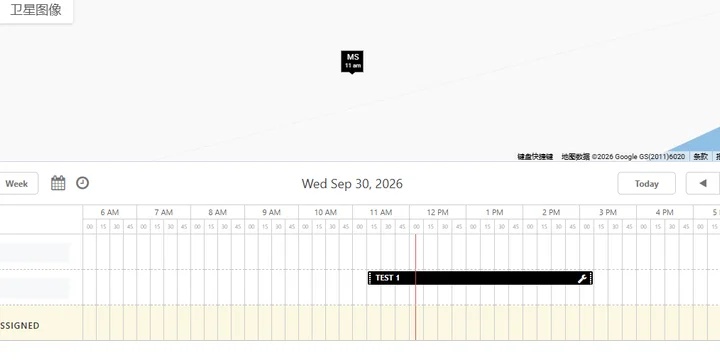
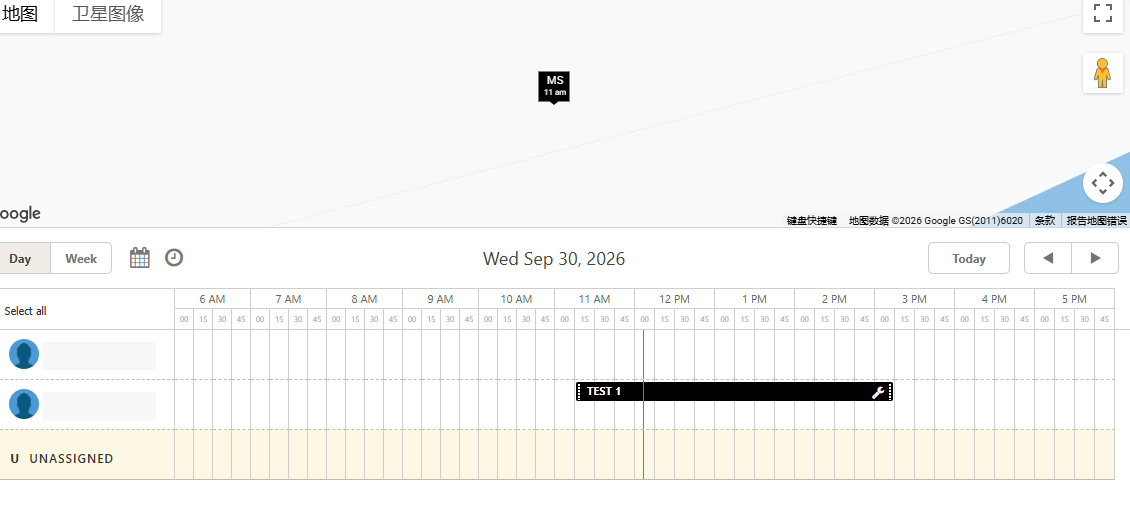
From the Admin/Office side, Planner/Dispatch showed technicians and unassigned work on the same scheduling view. We assigned work, moved an event and received a confirmation before the change.
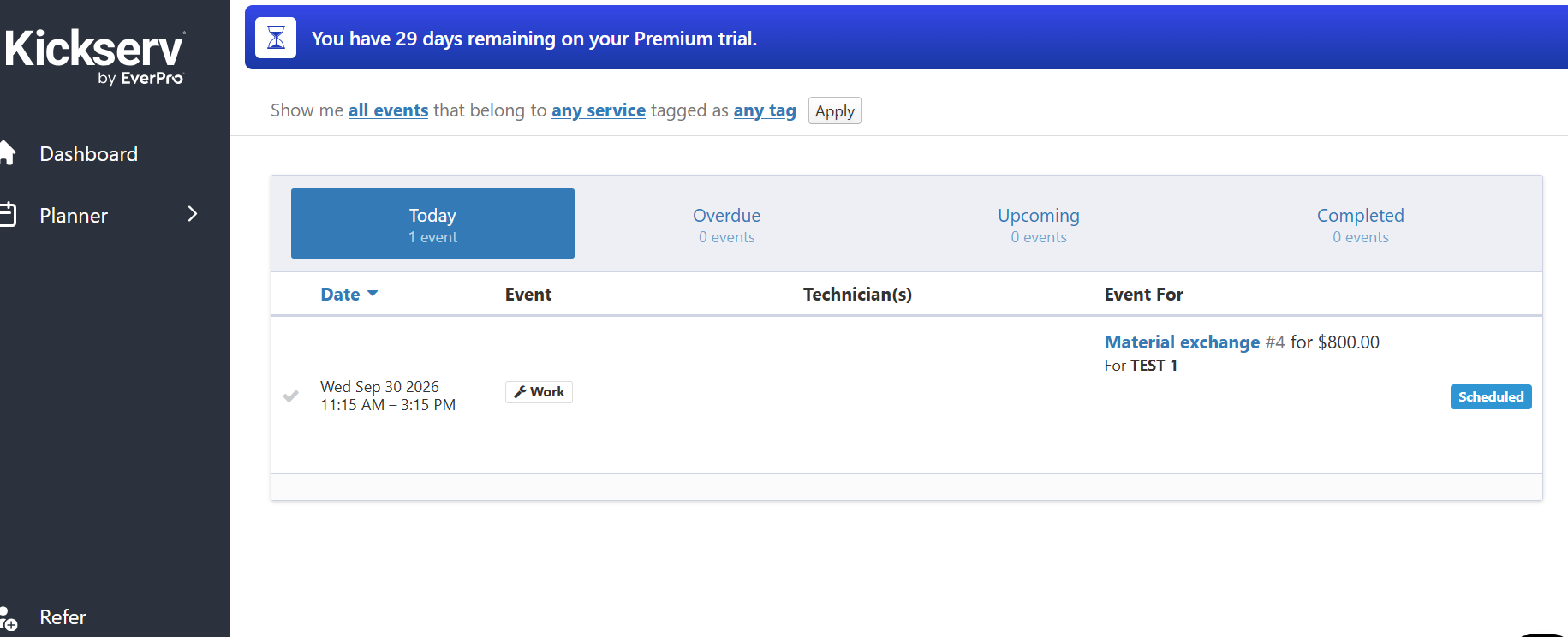
The technician-only account was much simpler. It showed the technician's assigned work rather than the full administrative system. The technician could open the scheduled job, see the customer and address, and use Start Job / On Hold / Mark Complete.
The estimate workflow also differed from Jobber. In our test, an estimate could be sent for customer approval or progressed internally; marking the opportunity Won/Complete moved the work into Job without a separate manual Convert-to-Job step.
Check current Kickserv pricing →
3. ServiceM8
- Evidence
- B — Partial Hands-On
- Full Fit Score
- Pending
- 3-person price reference
- Starter · $29/month · unlimited users · 50 new jobs/month
ServiceM8 remains relevant for very small teams, but we have not completed the same full benchmark used for Jobber, Housecall Pro and Kickserv. It therefore does not receive a precise /100 Fit Score yet.
Our partial test showed a lighter process feel than Jobber/HCP. Treat it as a product to test when a small team wants a simpler operating model. Do not assume its lower entry pricing makes it the better workflow fit.
Check current ServiceM8 pricing →
Three other options to consider
- Workiz
- Investigate when office communications, calls and dispatch are central. We did not complete the full benchmark, so no Fit Score is published.
- FieldPulse
- Investigate when job economics, pricebook discipline and deeper trade-management controls become more important. Current evidence is vendor research.
- ServiceTitan
- Investigate when the company has clearly moved beyond a small-team operating model. For a three-person HVAC business, test the closer SMB products first.
Boss, Office and Technician view
Plan structure can matter as much as headline entry price.
Calendar and dispatch design created the clearest workflow differences.
A restricted technician account can be materially simpler than the admin experience.
How we tested
Field Software Lab uses a 3-Person HVAC Fit Score built around Owner/Boss, Office/Customer Service and Technician roles.
The full benchmark covers customer creation, estimate, job progression, scheduling, technician assignment, rescheduling, recurring work, technician-side workflow, completion, invoice/payment, reminders and small-team controls.
Price is deliberately separate from the 100-point Fit Score. Trials are labeled separately from the public plan used for the 3-person price.
Before you switch
Run the replacement software through your own five most common jobs before migrating. Check customer/property history, quote and invoice templates, recurring schedules, reminders, accounting sync, permissions and staff habits.
A vendor demo proves that the vendor's demo works. It does not prove that your office-to-technician handoff works.
For additional context, see our hands-on Jobber vs Housecall Pro comparison and Housecall Pro alternatives guide.
FAQ
What are the strongest Jobber alternatives for a small HVAC team?
Housecall Pro and Kickserv are the two alternatives in this article that completed our full 3-person HVAC benchmark alongside Jobber. Other products remain on the shortlist but do not receive a full score until evidence is sufficient.
Is Kickserv a Jobber alternative?
Yes. In our hands-on test, Kickserv covered the core small-team path from estimate and scheduling through technician assignment, field status and invoicing. Our test used a Premium Trial, so plan-gated features should be checked before purchase.
Is Housecall Pro similar to Jobber?
Both cover the main small home-service workflow. In our test, Housecall Pro felt more calendar-first, while Jobber's quote/job structure was particularly clear.
Should I leave Jobber just to reduce software cost?
Compare the real three-user plan and the cost of migration, retraining and workflow change. A lower published price alone does not show that a replacement will run the business better.
Pricing and plan structures can change. Re-check the vendor's official pricing page before buying.
Questions & Reader Experiences
Share your question or experience. Please leave out personal, customer and payment details. Comments are reviewed before publication; links are displayed as neutralized text.
Loading reader comments…
No approved comments yet.